A new ransomware was discovered by ProofPoint researcher Matthew Mesa called GIBON. This ransomware is currently being distributed via malspam with an attached malicious document, which contain macros that will download and install the ransomware on a computer. Unfortunately, more information about the malspam is currently not available at this time.
We have, though, provided information below on how the ransomware operates and thanks to Michael Gillespie, it is decryptable. So if you are a victim, you can download a decryptor here. If you need help, please contact us in our GIBON Ransomware Support & Help topic.
Why is it called GIBON Ransomware?
When a new ransomware is discovered it is not always easy to come up with a good name for it. Sometimes researchers will use strings found in the executables and other times the malware itself will give us clues as to what we should call it.
With GIBON Ransomware, it is the latter as its name is provided to us two places. The first place is the user agent string of GIBON that is used when it communicates with the Command & Control server.
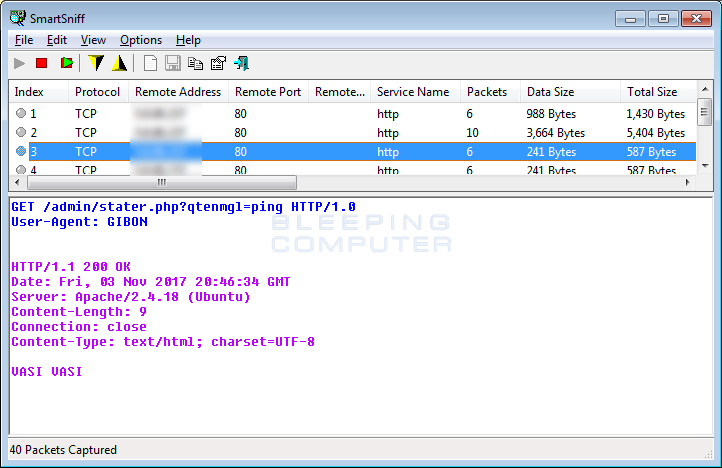 Communicating with the C2 Server
The second location it tells us its name is in the Admin panel for the ransomware itself, which is shown below. In the site below, you can clearly see it calls itself "Encryption machine 'GIBON'". For those who are curious, the logo below is from the Russian television company VID.
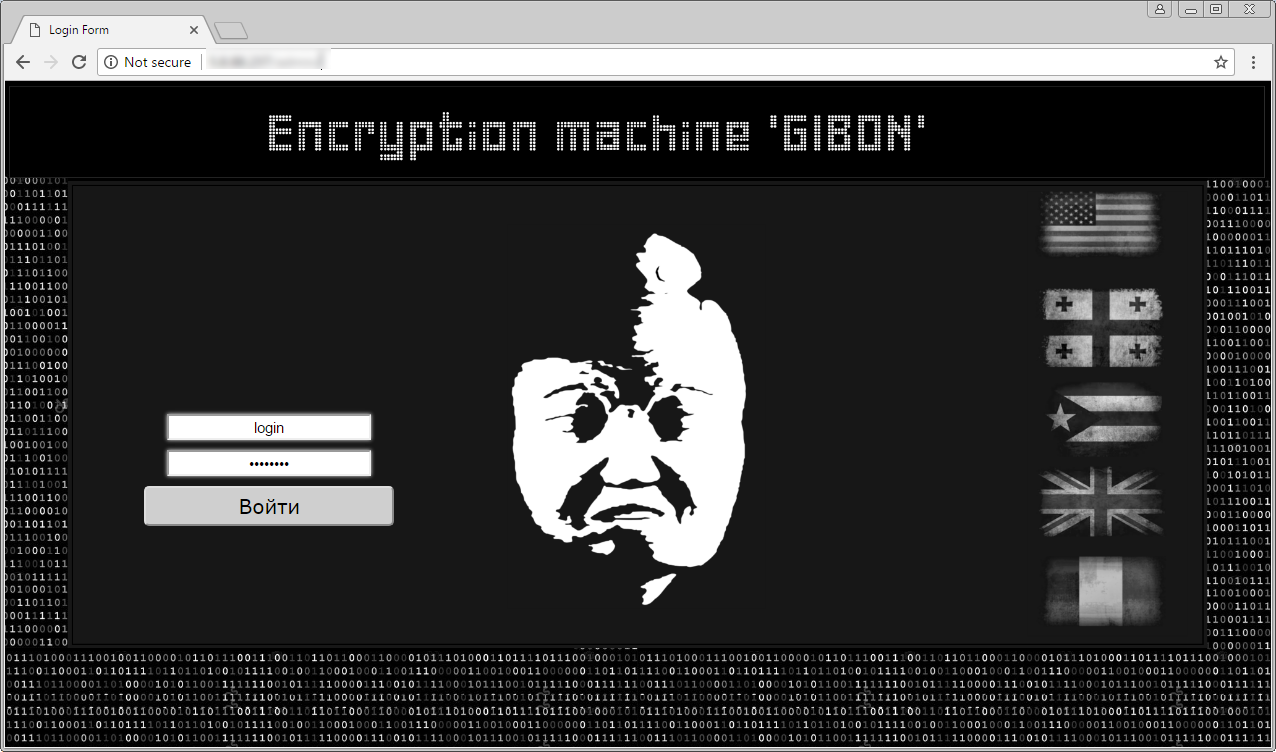 GIBON Admin Panel
How the GIBON Ransomware encrypts a computer
While full details regarding its delivery are not available, I can provide some information on how the GIBON Ransomware encrypts a computer. When GIBON is first started, it will connect to the ransomware's Command & Control Server and register a new victim by sending a base64 encoded string that contains the timestamp, the version of Windows, and the "register" string. The presence of the register string tells the C2 that this is a new victim being infected for the first time.
The C2 will send back a response that contains a base64 encoded string that will be used by GIBON as the ransom note. By having the C2 server supply the ransom note rather than it being hard coded in the executable, the developer can update it on the fly without having to compile a new executable.
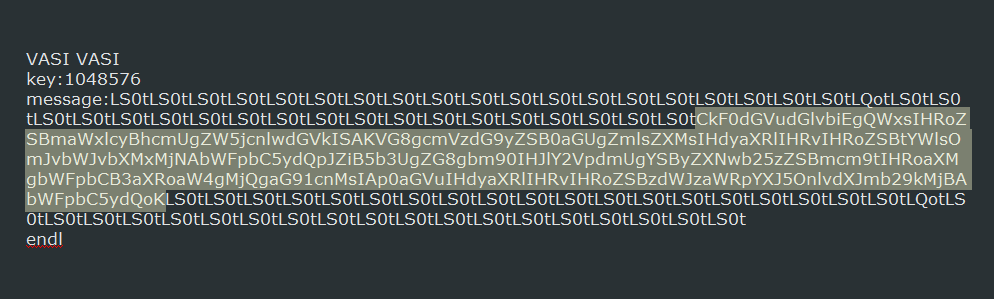 Response with Ransom Note
Once a victim is registered with the C2, it will locally generate a encryption key and send it to the C2 server as a base64 encoded string. This key will be used to encrypt all of the files on the computer. Like the previous request, the C2 will respond with the ransom note.
Now that the victim has been registered and key transmitted to the C2, the ransomware will begin to encrypt the computer. While encrypting the computer, it will target all files regardless of the extension as long as they are not in the Windows folder.
When encrypting the files, GIBON will append the .encrypt extension to the encrypted file's name. For example, a file called test.jpg would be encrypted and named as test.jpg.encrypt. You can see a folder of encrypted files below.
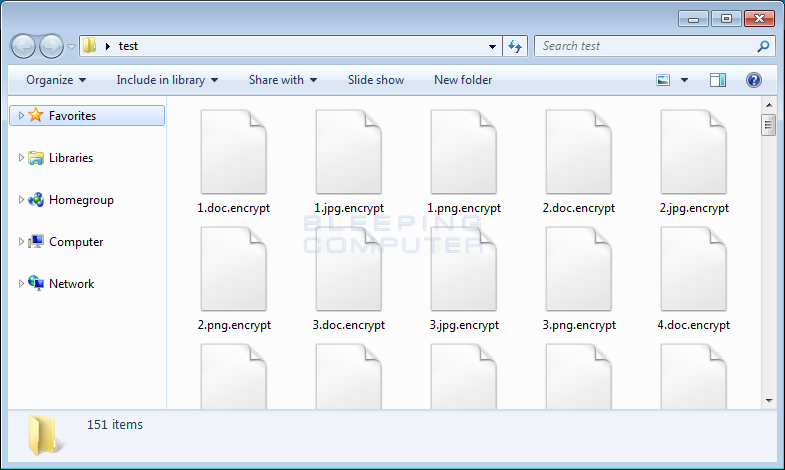 Encrypted Files
During the encryption process, GIBON will routinely connect to the C2 server and send it a "PING" to indicate that it is still encrypting the computer.
For each folder that a file is encrypted, it will also generate a ransom note named READ_ME_NOW.txt. This ransom note will provide information on what happened to the victim's files and instructions to contact the emails bomboms123@mail.ru or subsidiary:yourfood20@mail.ru for payment instructions.
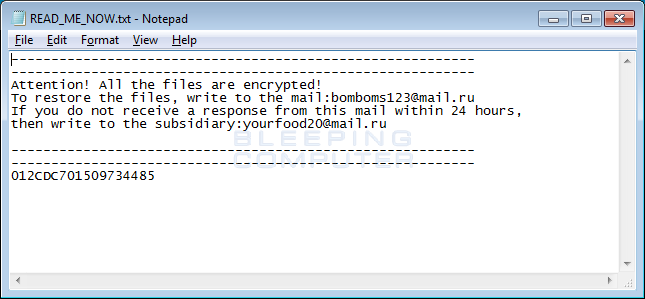 Ransom Note
When the ransomware has finished encrypting a computer, it will send a final message to the C2 server with the string "finish", a timestamp, the Windows version, and the amount of files that were encrypted.
At this time, it is not currently known how much ransomware the developers are demanding. As previously stated, the good news is that this ransomware can be decrypted using this decryptor.
How to protect yourself from the GIBON Ransomware
In order to protect yourself from GIBON, or from any ransomware, it is important that you use good computing habits and security software. First and foremost, you should always have a reliable and tested backup of your data that can be restored in the case of an emergency, such as a ransomware attack.
You should also have security software that contains behavioral detections such as Emsisoft Anti-Malware, Malwarebytes, or HitmanPro:Alert.
Last, but not least, make sure you practice the following good online security habits, which in many cases are the most important steps of all:
Backup, Backup, Backup!Do not open attachments if you do not know who sent them.Do not open attachments until you confirm that the person actually sent you them,Scan attachments with tools like VirusTotal.Make sure all Windows updates are installed as soon as they come out! Also make sure you update all programs, especially Java, Flash, and Adobe Reader. Older programs contain security vulnerabilities that are commonly exploited by malware distributors. Therefore it is important to keep them updated.Make sure you use have some sort of security software installed.Use hard passwords and never reuse the same password at multiple sites.
Comments