Crunchyroll.com was taken offline this morning due to a hack that caused visitors to be prompted to download a desktop version of their software. This software, though, was not as it seemed because it also included malware that was installed along with it.
When the Crunchyroll staff in Germany woke up this morning they were greeted with news that something was not quite right with the site. Due to this they started issuing alerts telling visitors to stay away from the site for the time being.
And for our English-speaking audience
Please DO NOT access our website at the current time. We are aware of the issues and are working on it— Crunchyroll.de (@Crunchyroll_de) November 4, 2017
While the hack was ongoing, visitors were greeted with a prompt to download and try a new desktop application. This desktop application was not one offered by the site themselves, but one being offered by the hackers in order to distribute malware.
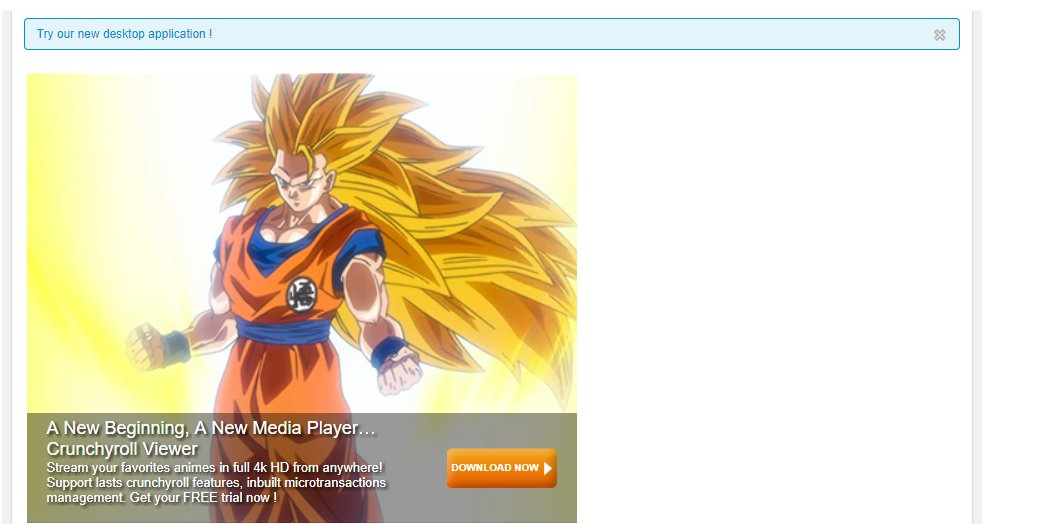 Crunchyroll.com During the Hack
Source: Reddit
According to Crunchyroll, the site itself was not hacked, but rather was the victim of a DNS hijack of some sort. Whether his DNS hijack caused a clone of the site under the attacker control to be shown to visitor or some other redirect is currently unknown.
Update: We have NOT been hacked. At the moment, it appears to be DNS hijacking.
— Crunchyroll.de (@Crunchyroll_de) November 4, 2017
BleepingComputer has contacted Crunchyroll for more details regarding the hack, but at the time of this writing have not heard back.
According to the site's twitter feed, the issue has been resolved, Crunchyroll is back online, and its safe for visitors once again.
So what exactly was installed by this malicious download?
When the offered program was downloaded and executed, it would extract an embedded base64 encoded file to %AppData%\svchost.exe and execute it. You can see the base64 encoded file in the screenshot of the offered Crunchyroll.exe file below.
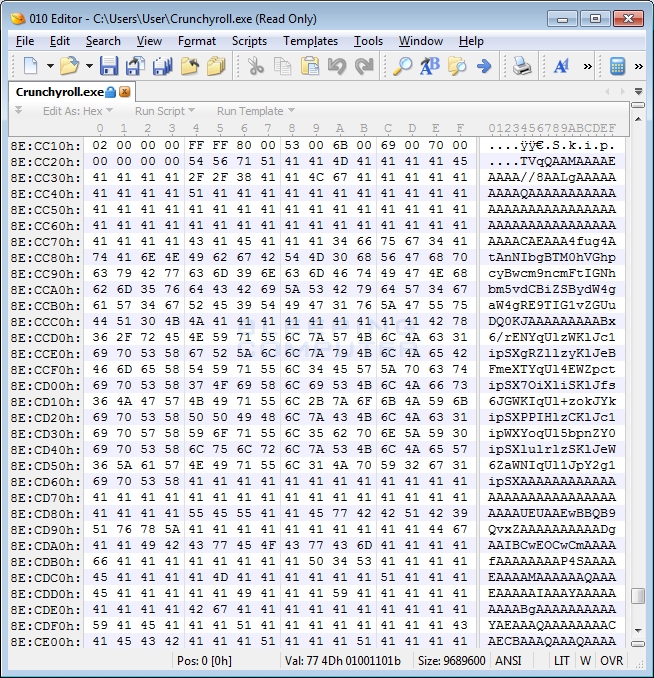 Embedded Base64 Encoded File
When the malicious executable starts, it will create an autostart called Java that launches the %AppData%\svchost.exe program when the victim logs into the computer.
Unfortunately, it is not currently known what this malicious executable does at this point. According to a detailed writeup by security researcher Bart Blaze, he feels that it may be a keylogger. As more information becomes available about the malware, we will update this article.
How can you remove the Crunchyroll related malware?
Thankfully, removing the malware distributed by the Crunchyroll hack is fairly easy. The only issue is that this malware is not currently detected by many security vendors, so we will need to perform manual removal steps.
Open the Windows Registry Editor by typing regedit in the Start Menu search bar. When you see regedit.exe or Registry Editor in the search results, click on it to launch the program.
When the Registry Editor is open, navigate to HKEY_CURRENT_USER\SOFTWARE\Microsoft\Windows\CurrentVersion\Runand single-left click on the Run key. You should now see in the right pane a value called Java as shown below.
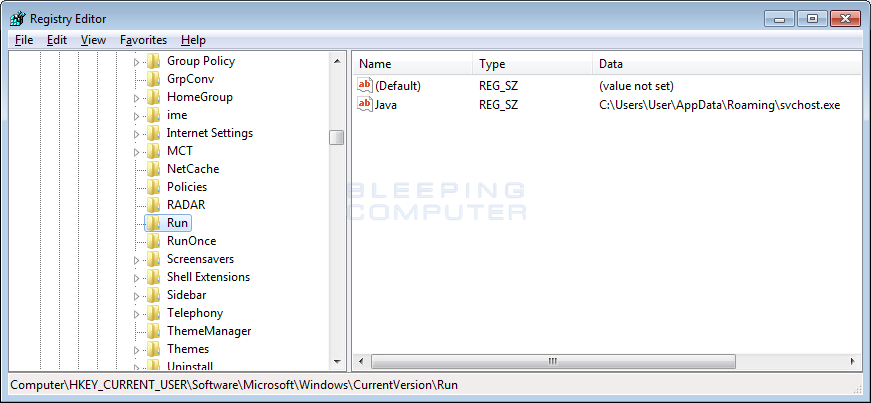 Java Registry Value
Now right-click on the Java entry and select Delete as shown in the image below.
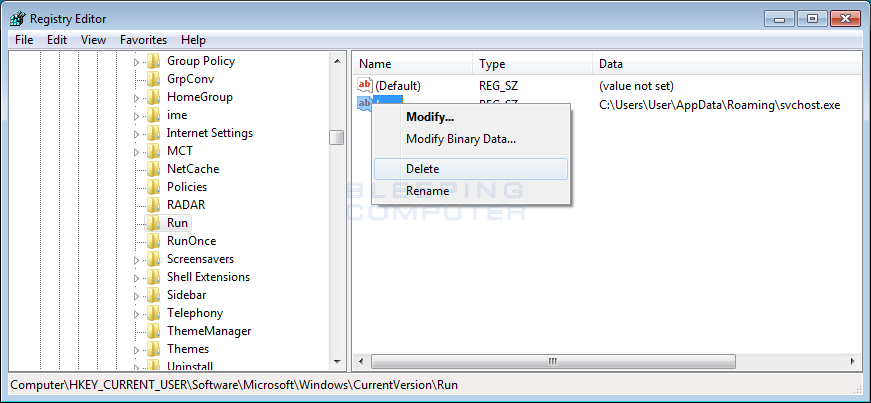 Delete Value
When it asks you to confirm that you wish to delete the value, click on the Yes button.
Now reboot your computer and when you log back in, the malware executable will no longer be started.
Now navigate to the %AppData% (Typically C:\users\[user_name]\appdata\roaming) folder and you should see a program called svchost.exe.
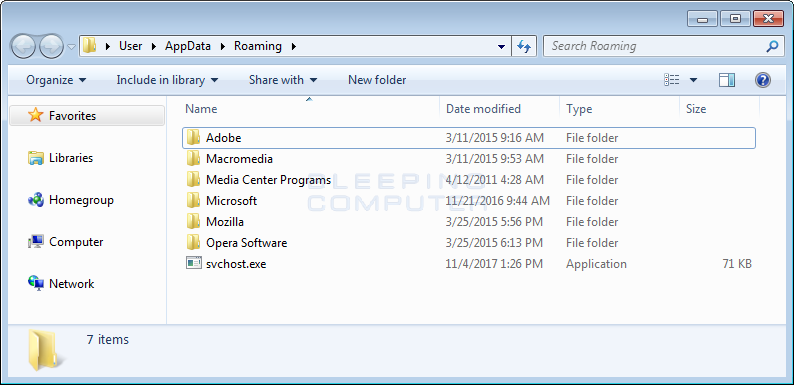 Svchost.exe in AppData Folder
Right-click on this file and select Delete to delete it from the computer.
Now perform a scan using your installed security software. If you do not have a security software, now may be a good time to install one.
If this malware was indeed a keylogger, you may also want to consider changing the password to any sites that you logged into after installing this fake Crunchyroll program.
Your computer is now clean from the malware related to the Crunchyroll hack.
Comments